

Table of Contents
Toggle"This post contains affiliate links. We may earn a commission at no extra cost to you."
🚀 Introduction
You’re not the only one who has been trying to figure out how to rank website on google without backlinks
Most people who are just starting out think that backlinks are the only way to get to the top of Google. And to be honest, that idea has been said so many times that it seems like a rule.
But the truth is that it’s old news.
The algorithm that Google uses has changed in 2026. It’s not just about who has the most links anymore. Instead, it is all about giving users the best experience possible.
That means Google now puts things like these first:
- Quality of content :- Is your content really useful and complete?
- User experience (UX) :-means that your site is easy, quick, and fun to use.
- Search intent :- Does your page really give the user what they are looking for?
- Topical authority :- Are you always making useful content in your field?
👉 In short:
Google rewards links, but also value.
Yes, you can learn how to rank website on google without backlinks, especially if you focus on the right strategies and stay away from common SEO myths.
Also, don’t worry—this isn’t just a theory.
In this guide, I’ll show you some simple, useful ways to do things that really work in 2026 👇
🤔 Is It Really Possible to Rank Without Backlinks?
Yes, it’s 100% possible.
But let’s be honest for a moment 👇
It’s not magic to rank without backlinks. It works, but only if you play smart.
Here’s what’s really going on:
✅ It works best for keywords with little competition.
✅ You need strong on-page SEO (this is your main tool).
✅ Your content must be genuinely helpful and better than others.
Imagine it like this:
👉 Backlinks are like “votes.”
👉 But people stay because of the content.
In 2026, Google will know a lot more about why a page should rank than just how many links it has.
The Helpful Content system from Google is all about:
- Fixing problems that real users have
- Giving new ideas
- Giving full answers (not half-baked ones)
So if your content:
- Gives a better answer to the question than others
- Keeps users interested
- It loads quickly and looks nice.
Yes, you can rank without any backlinks at all.
💡 Change your mind in a simple way:
Don’t say, “How do I get links back?”
Ask, “How do I get the best answer on Google?”
That’s where the rankings start to happen.
🧠 Understanding Google Ranking in 2026
You need to know how ranking works today before you can really learn how to rank website on google without backlinks.
Here’s the truth:
Google no longer ranks pages based on just one thing.
It uses a mix of smart signals to figure out which page should be at the top.
Google and other platforms look at a number of things, such as:
🔍 1. Content Relevance
Google looks at how well your content fits the search term.
👉 If someone types “how to rank website on google without backlinks” into Google,
Your content needs to:
- Please answer this question directly.
- Keep your mind on the subject.
- Don’t add extra fluff
⚡ 2. Page Experience
This includes:
- Loading speed
- Mobile responsiveness
- Clean design
👉 A slow or messy website = lower rankings
📊 3. Core Web Vitals
These are technical performance metrics like:
- Loading speed (LCP)
- Interactivity (FID/INP)
- Visual stability (CLS)
👉 Better performance = better rankings
🎯 4. Keyword Optimization
Google still needs signals to figure out what your page is about.
That’s where:
- Title
- Headings
- Meta description
- Content
👉 come into play.
But keep in mind that using words naturally is always better than stuffing them in.
👤 5. User Behavior
This is where things get interesting.
Google tracks:
- Click-through rate (CTR)
- Time on page
- Bounce rate
👉 If users love your content, Google notices.
💡 Final Insight
Backlinks are only one part of the puzzle; they are not the whole game.
In 2026, you can get rankings by:
Value + Experience + Relevance
So, if you pay attention to these things, you can definitely learn 👉 how to rank website on google without backlinks 🚀
🎯 Strategy #1 – Master Search Intent
Even if you somehow get backlinks, you won’t ever rank if you don’t pay attention to search intent.
This is one of the main reasons why people have trouble figuring outhow to rank website on google without backlinks.
Because what you write isn’t the only thing that matters for ranking…
It’s about whether what you write is what the user really wants.
And sites like Google are very good at finding that.
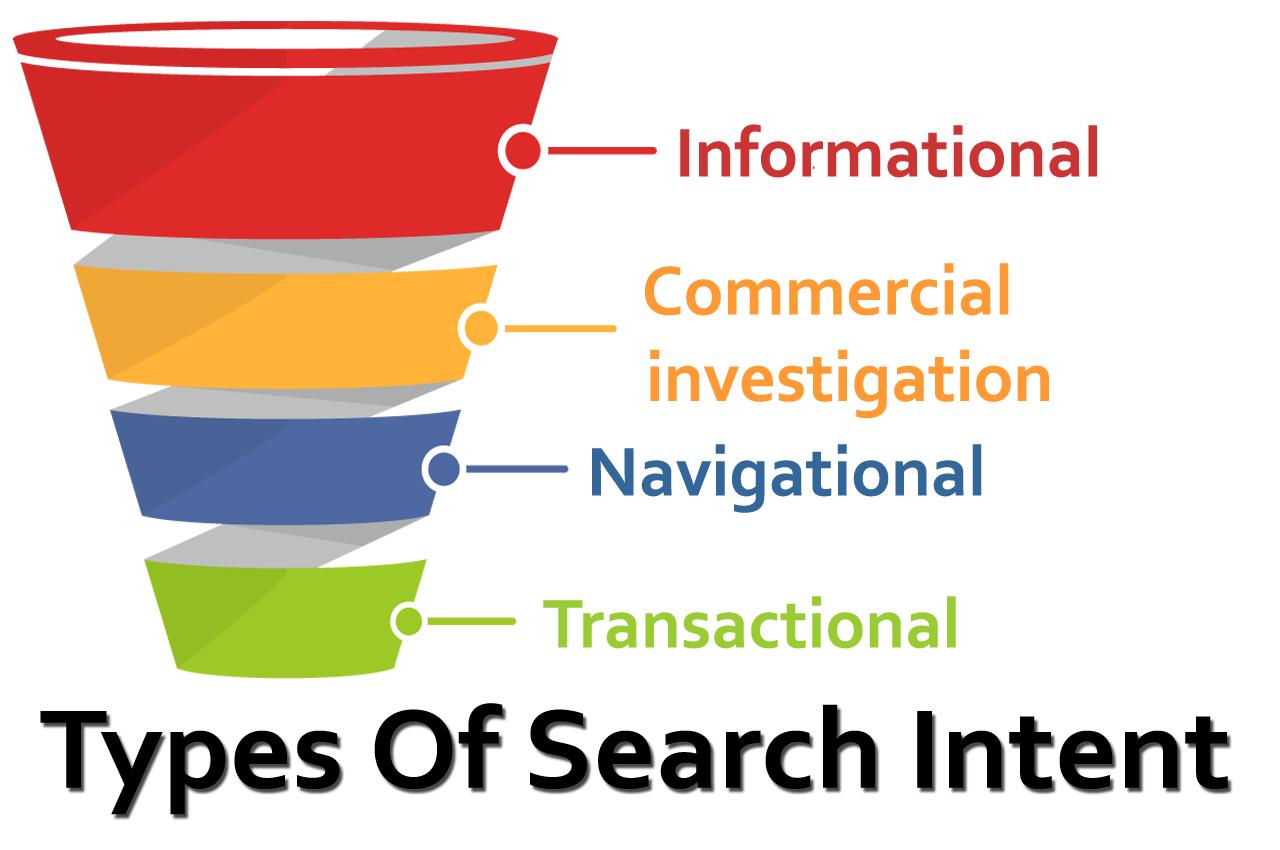
🔍 The 4 Types of Search Intent
Understanding these is crucial 👇
1. Informational Intent
User wants to learn something
👉 Example: “how to rank website on google without backlinks”
2. Navigational Intent
User wants to visit a specific site
👉 Example: “Google login”
3. Transactional Intent
User wants to take action (buy/download)
👉 Example: “buy SEO tools”
4. Commercial Intent
User is comparing before buying
👉 Example: “best SEO tools 2026”
🎯 What’s the Intent of This Keyword?
For the keyword:
👉 how to rank website on google without backlinks
The intent is clearly:
✅ Informational
That means your content should:
- Teach step-by-step
- Explain clearly
- Provide real value
👉 Not sell anything
👉 Not confuse the reader
💡 Pro Tip (Very Important)
Before you write anything, always ask yourself:
👉 “What does the user really want?”
Then go even deeper:
👉 “Is there a better answer I can give than what’s already at the top?”
If you said yes, you’re already ahead of 90% of websites.
🚀 Quick Reality Check
If your content doesn’t match intent:
- ❌ Google won’t rank you
- ❌ Users will leave quickly
- ❌ Even backlinks won’t save you
But if you nail search intent:
- ✅ Higher rankings
- ✅ Better engagement
- ✅ More traffic without backlinks
👉 This is the foundation of mastering
how to rank website on google without backlinks 💯
✍️ Strategy #2 – Create High-Quality Content
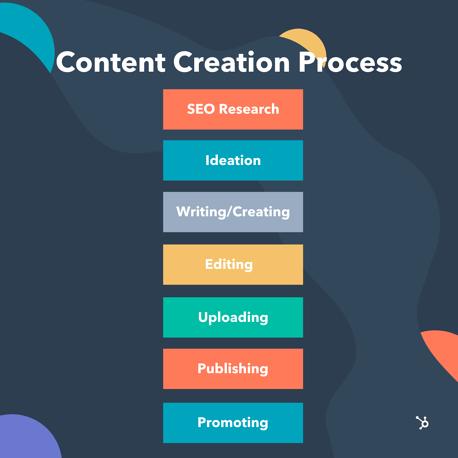
This is the most important thing to do when you want to learn how to rank website on google without backlinks.
Let’s be clear: if your content isn’t good, nothing else will help you.
No tricks. No easy ways out.
Through its Helpful Content updates, Google has made it clear that
👉 People should come first when making content, not search engines.
🔥 What Does “High-Quality Content” Actually Mean?
It’s not about writing long articles just for the sake of it.
It means:
- Your content is useful
- Your content is easy to understand
- Your content gives complete answers
✅ How to Create Content That Ranks (Even Without Backlinks)
📌 1. Write In-Depth Content (2000+ Words)
Long-form content performs better because:
- It covers the topic fully
- It answers multiple related questions
- It keeps users on your page longer
👉 But remember: quality > quantity
✍️ 2. Use Simple, Human Language
Avoid:
- Complex words
- Robotic tone
Write like you’re explaining to a friend 👇
👉 Clear
👉 Conversational
👉 Easy to read
💡 3. Add Real-Life Examples
This builds trust instantly.
Instead of saying:
❌ “Use internal linking”
Say:
✅ “Link your blog ‘SEO basics’ to your article ‘how to rank website on google without backlinks’”
👉 Specific examples = better understanding
🎯 4. Solve the User’s Problem Completely
Don’t leave gaps.
Ask yourself:
👉 “After reading this, does the user still need to search again?”
If yes — your content is incomplete.
🚀 Why This Works
Google tracks:
- Time spent on page
- User satisfaction
- Engagement
If users love your content, Google pushes it higher.
💡 Golden Rule
👉 Don’t just write content…
👉 Write the best answer on the internet
If you use this method, you’ll see that how to rank a website on Google without backlinks is less about SEO tricks and more about making things of real value 💯
⚙️ Strategy #3 – On-Page SEO Optimization
If you don’t have backlinks, on-page SEO is your best tool.
This is where you have complete control. If you do it right, it can help you rank for keywords like “how to rank website on google without backlinks..”
Even Google needs a lot of on-page signals to figure out what your content is about.
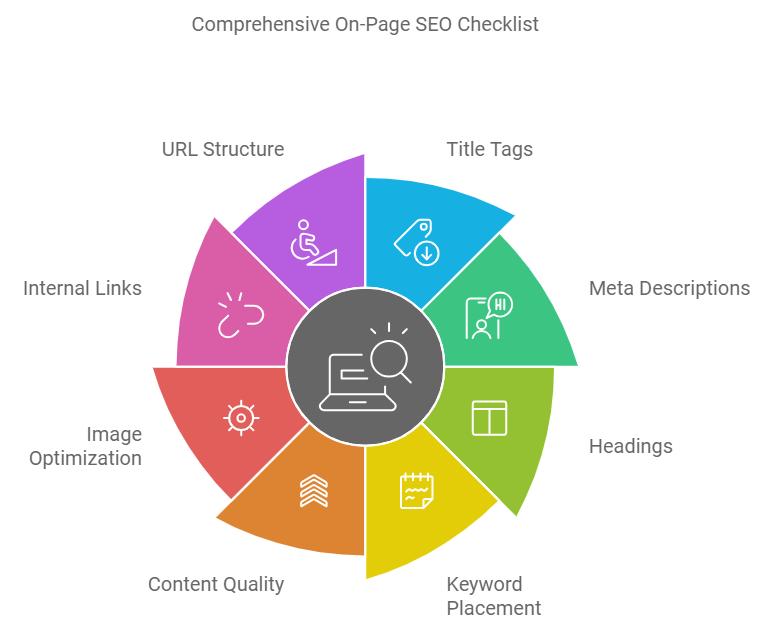
✅ On-Page SEO Checklist (Must Follow)
🔑 1. Use Focus Keyword in Important Places
Your focus keyword:
👉 how to rank website on google without backlinks
Place it strategically:
- Title (very important)
- Meta description
- URL
- First paragraph (within 100 words)
👉 This helps Google clearly understand your topic.
🧱 2. Use Proper Headings (H1, H2, H3)
Structure matters a lot.
- H1 → Main title
- H2 → Main sections
- H3 → Sub-points
👉 This improves:
- Readability
- SEO structure
- User experience
🖼️ 3. Optimize Images (Alt Text)
Images are not just for design — they’re also SEO assets.
Use descriptive alt text like:
👉 “how to rank website on google without backlinks strategy diagram”
Benefits:
- Helps Google understand images
- Improves accessibility
- Can rank in image search
🚀 Pro-Level Tips (Most People Ignore)
- Use LSI keywords, which are words that are similar to “SEO without backlinks” and “rank website without link building.”
- Make sure the URL is short and clean.
- To get more clicks, write a good meta description.
💡 Final Insight
If backlinks are missing, your on-page SEO must be perfect.
👉 Think of it like this:
On-page SEO tells Google what your page is about
Content tells Google how good your page is
Master both — and you’ll unlock
how to rank website on google without backlinks 🔥
🏆 Strategy #4 – Build Topical Authority
This is a secret weapon 🔥 for learning how to rank website on google without backlinks.
One big mistake that most beginners make is
👉 They think that one article will rank.
But this is how smart SEO works:
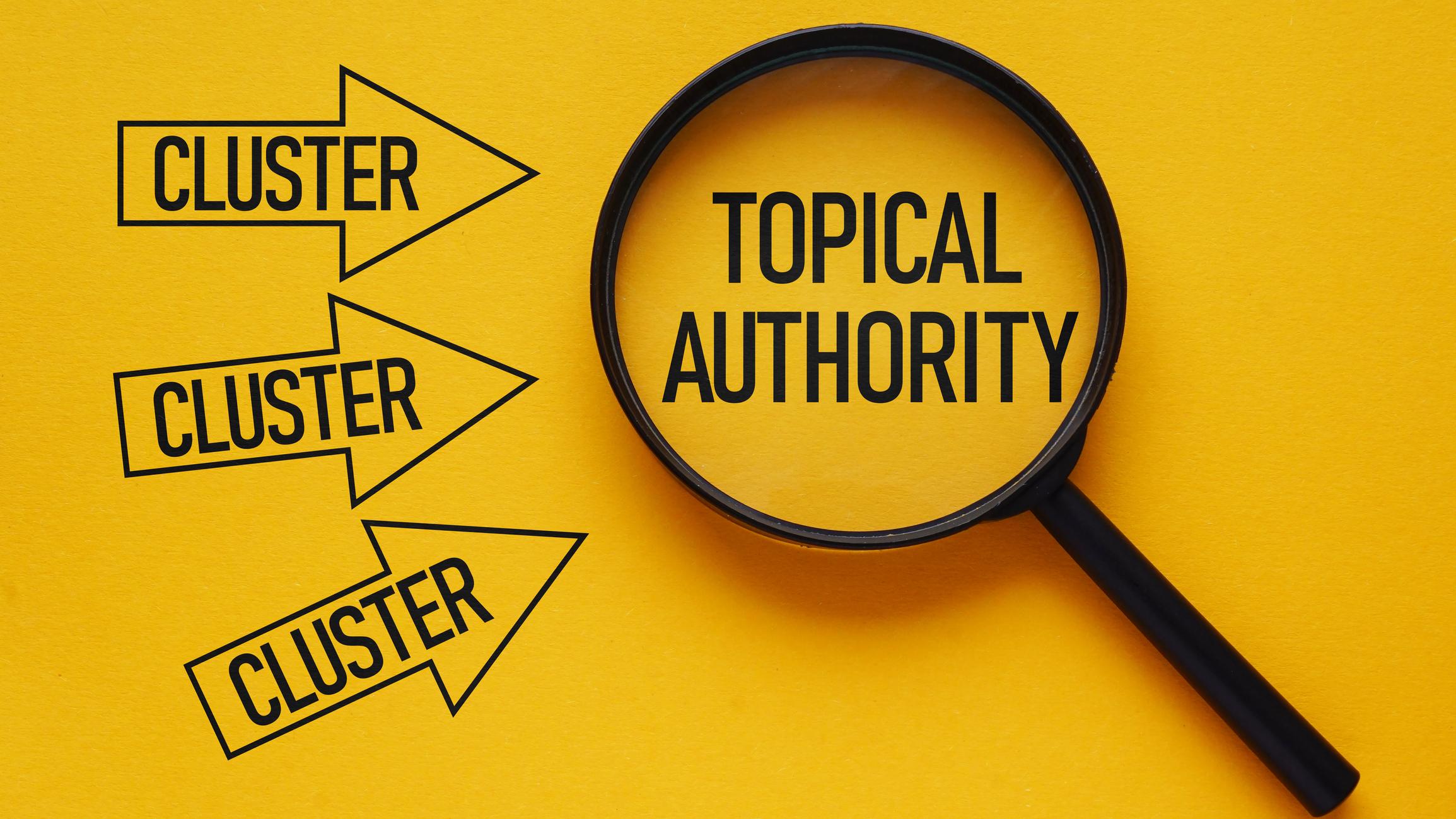
🧠 What is Topical Authority?
What does topical authority mean?
👉 Search engines trust you as an expert when you write about a topic in depth.
When you regularly post good content about a specific topic, Google and other platforms start to see your site as a reliable source.
🔗 How to Build Topical Authority (Simple Strategy)
Instead of writing just one post like:
👉 “how to rank website on google without backlinks”
Create a content cluster 👇
🧩 Pillar + Supporting Content
Pillar Article:
- How to rank website on google without backlinks
Supporting Articles:
- SEO basics for beginners
- Keyword research step-by-step
- On-page SEO checklist
- Technical SEO guide
- Internal linking strategy
👉 Then interlink all of them.
🎯 Why This Works
When Google sees:
- Multiple related articles
- Strong internal linking
- Consistent topic coverage
It thinks 👇
👉 “This website knows what it’s talking about.”
And that builds trust.
🚀 Real Advantage (Without Backlinks)
Even if you have:
- ❌ No backlinks
- ❌ New website
You can still compete with big sites by:
👉 Building strong topical authority
💡 Pro Tip
Don’t jump between random topics.
Stick to one niche and go deep, not wide.
🔥 Final Insight
👉 One article = weak signal
👉 10 connected articles = strong authority
That’s how you win without backlinks.
And this is where most people fail — but you won’t 😉
Master this, and you’re one step closer to cracking
how to rank website on google without backlinks 💯
🔗 Strategy #5 – Internal Linking Strategy
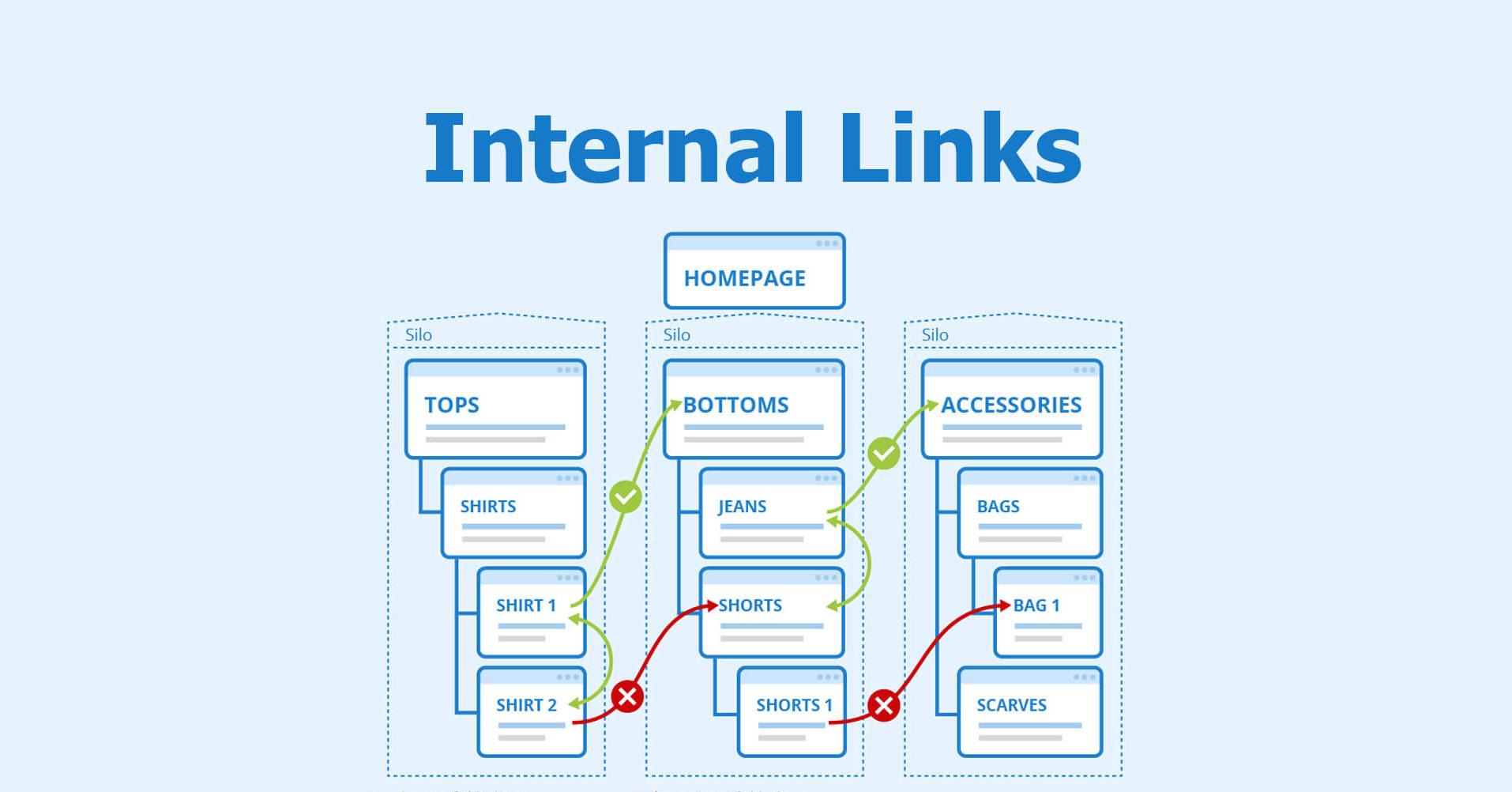
If you don’t have backlinks, internal linking is your secret weapon.
When used correctly, internal links can even take the place of backlinks for keywords with low to medium competition, like 👉 how to rank website on google without backlinks
And yes, Google uses internal links to:
- Find new pages
- Get to know how content is related
- Choose which pages are important
🧠 Why Internal Linking is So Powerful
Think of your website as a network.
Each blog is a node.
Every link is a connection.
👉 Google can crawl and rank your content more easily if the connections are stronger.
✅ What You Should Do
🔗 1. Link to Related Blog Posts
Always connect relevant content.
Example:
If you’re writing this blog, link to:
- “How to rank website on Google fast”
- “On-page SEO checklist”
👉 This builds context and improves SEO.
📝 2. Use Keyword-Rich Anchor Text
Avoid:
❌ “Click here”
❌ “Read more”
Use:
✅ “how to rank website on google fast”
✅ “complete on-page SEO checklist”
👉 This tells Google what the linked page is about.
🏗️ 3. Create a Silo Structure
This is where things get powerful 🔥
Structure your content like this:
- Main topic (SEO)
- Subtopic (On-page SEO)
- Subtopic (Technical SEO)
- Subtopic (Keyword research)
👉 All pages are interconnected.
This creates topical authority + strong internal signals
🚀 Pro Tip (Advanced)
- Link from high-traffic pages → new pages
- Add internal links naturally inside content
- Don’t overdo it (keep it user-friendly)
💡 Final Insight
Backlinks give you authority from outside.
Internal links give your site authority from the inside.
If you master internal linking, you’ll notice that
how to rank website on google without backlinks
becomes much easier than you thought 🔥
⚡ Strategy #6 – Improve Website Speed
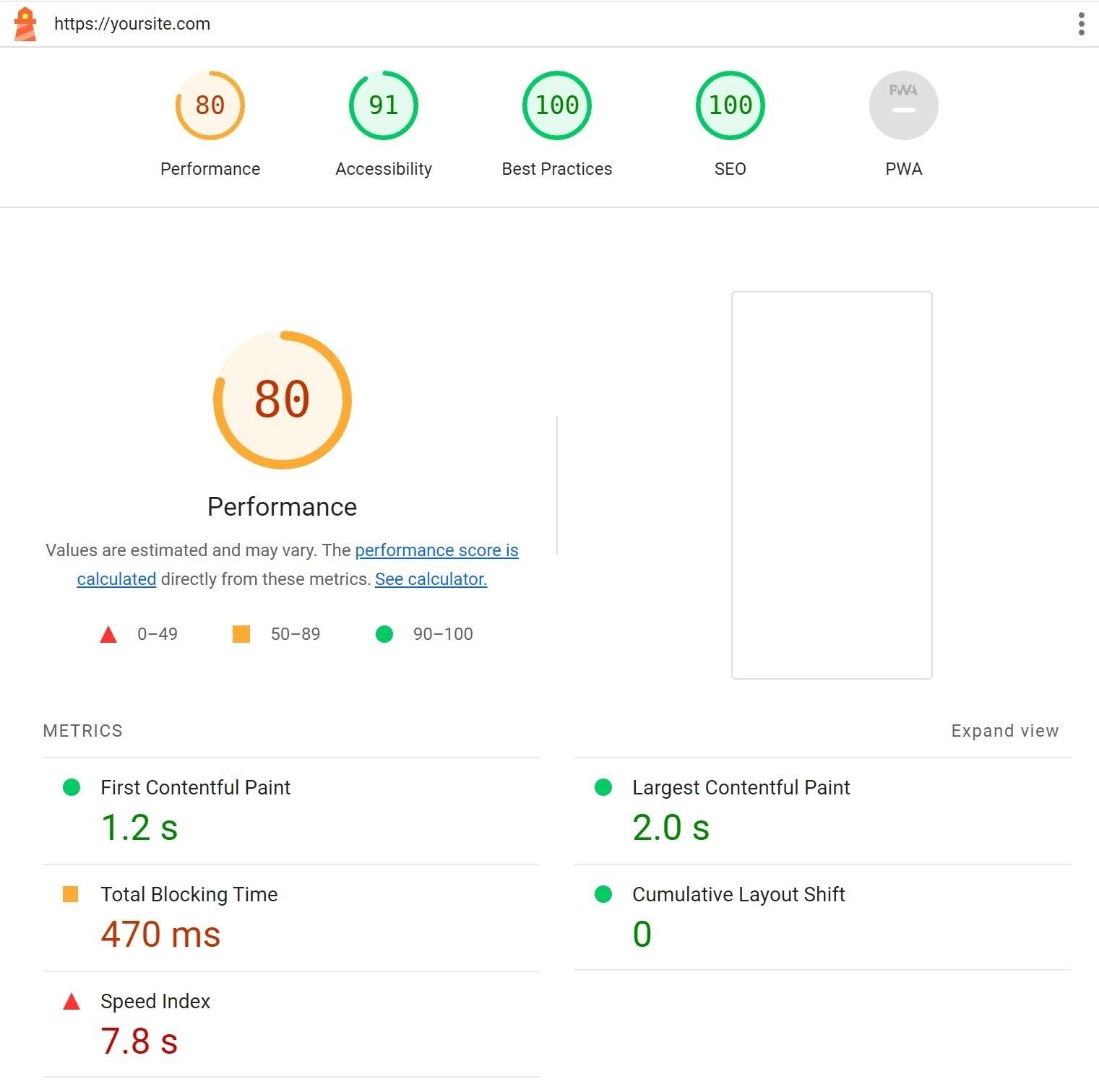
Speed is not optional when it comes to how to rank website on google without backlinks; it’s essential.
👉 Easy rule:
Faster = Better Rankings + Better User Experience
Core Web Vitals shows that page speed is a ranking factor, and Google has even said so.
🚀 Why Website Speed Matters
If your website is slow:
- ❌ Users leave quickly
- ❌ Bounce rate increases
- ❌ Rankings drop
If your website is fast:
- ✅ Users stay longer
- ✅ Engagement improves
- ✅ Google ranks you higher
🛠️ Tools to Check Your Website Speed
Use these free tools:
👉 These tools show:
- Load time
- Performance score
- What to fix
⚙️ How to Improve Website Speed (Actionable Tips)
🖼️ 1. Compress Images
Large images slow down your site.
👉 Use:
- WebP format
- Image compression tools
⚡ 2. Use Caching
Caching stores your site data so it loads faster next time.
👉 Result:
- Faster loading
- Reduced server load
🌐 3. Choose Fast Hosting
Cheap hosting = slow website
👉 Invest in:
- Good server speed
- Reliable uptime
🔧 Bonus Tips
- Minify CSS & JavaScript
- Use a CDN (Content Delivery Network)
- Remove unnecessary plugins
💡 Final Insight
You have complete control over speed.
👉 No need for backlinks No need to wait
Just optimize, and your chances of ranking will go up right away.
And that’s another big step toward becoming an expert.
how to rank website on google without backlinks 🚀

📱 Strategy #7 – Mobile-Friendly Website
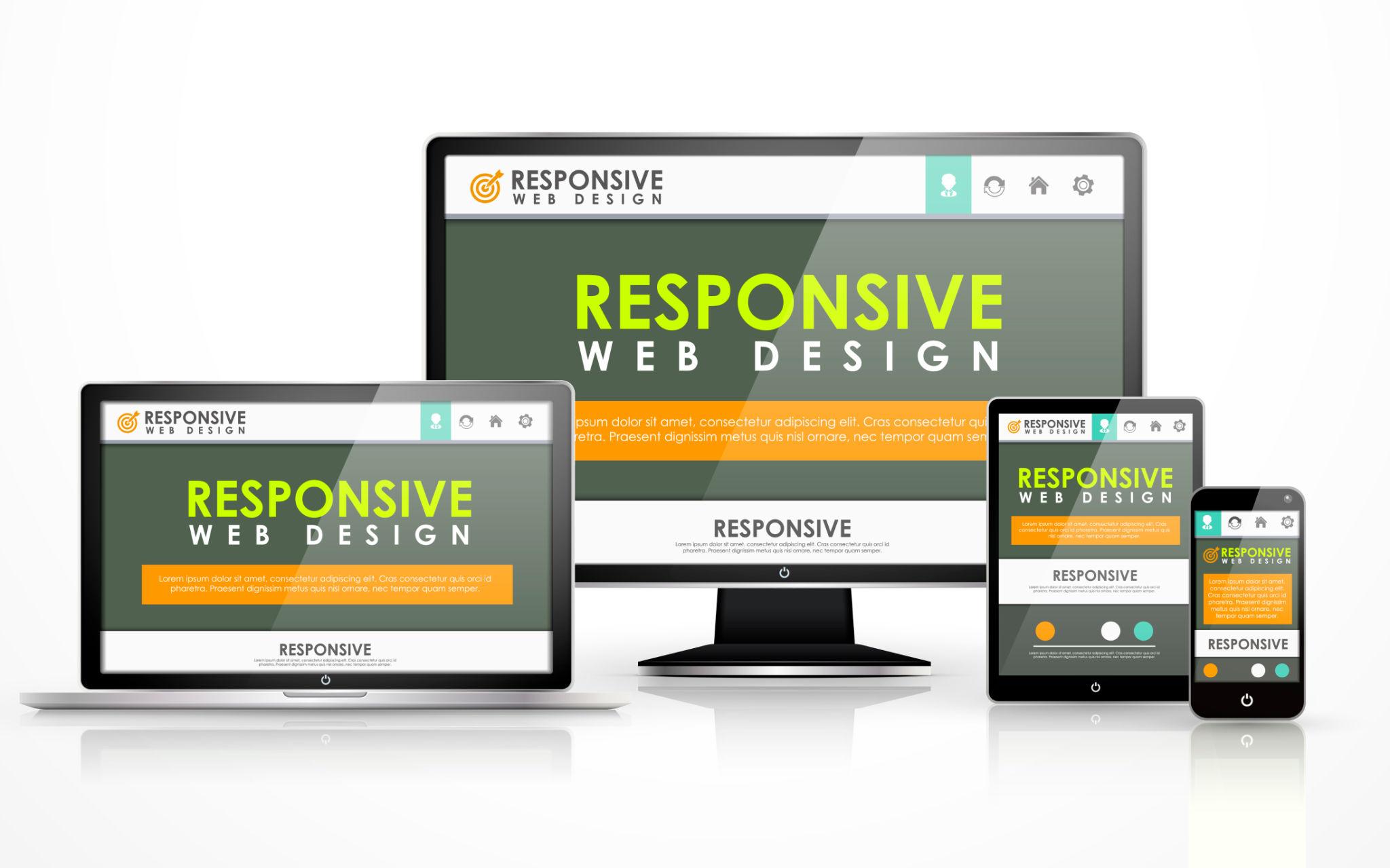
You can’t ignore mobile optimization if you really want to know how to rank website on google without backlinks.
👉 Check the facts:
More than 70% of people use their phones to browse the web.
Because of this, Google uses mobile-first indexing, which means it looks at your mobile version first to determine rankings.
🚀 Why Mobile-Friendly Matters
If your site is not mobile-friendly:
- ❌ Users struggle to read content
- ❌ Buttons are hard to click
- ❌ Pages load slowly
👉 Result: higher bounce rate + lower rankings
✅ What You Must Ensure
📐 1. Responsive Design
Your website should automatically adjust to:
- Mobile
- Tablet
- Desktop
👉 No zooming, no broken layouts
⚡ 2. Fast Loading on Mobile
Mobile users are impatient.
👉 Aim for:
- Under 3 seconds load time
- Optimized images
- Lightweight design
🧭 3. Easy Navigation
Keep it simple:
- Clear menu
- Readable fonts
- Proper spacing
👉 User should find everything easily
🛠️ Test Your Website
Use this tool:
👉 Google Mobile-Friendly Test
It will tell you:
- Whether your site is mobile-friendly
- What issues need fixing
💡 Pro Tip
Design your website for mobile first, then optimize for desktop.
💡 Final Insight
It’s no longer optional to optimize for mobile; it’s a requirement for ranking.
If your mobile experience is smooth, you’re already ahead of a lot of other businesses that are trying to figure out
how to rank website on google without backlinks 🚀
😊 Strategy #8 – Focus on User Experience (UX)
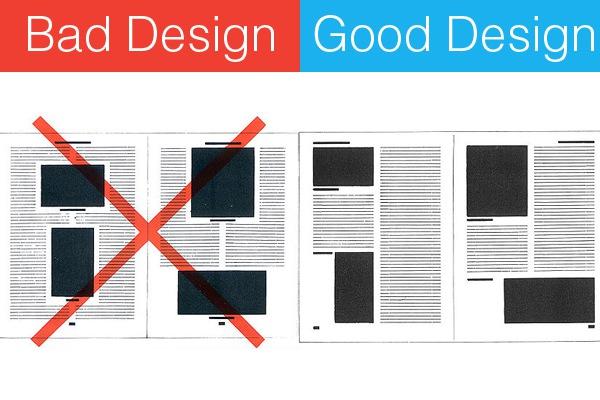
A lot of the time, when people talk about how to rank website on google without backlinks, they forget about one important thing:
👉 UX (User Experience)
But this is the truth—
Google won’t rank your website if people don’t like it.
📊 What Google Actually Tracks
Google pays close attention to how users behave on your site:
- Bounce Rate → Do users leave quickly?
- Time on Page → Do they stay and read?
- Click-Through Rate (CTR) → Do they click your result?
👉 These signals tell Google:
“Is this page helpful or not?”
🚀 How to Improve UX (Simple but Powerful)
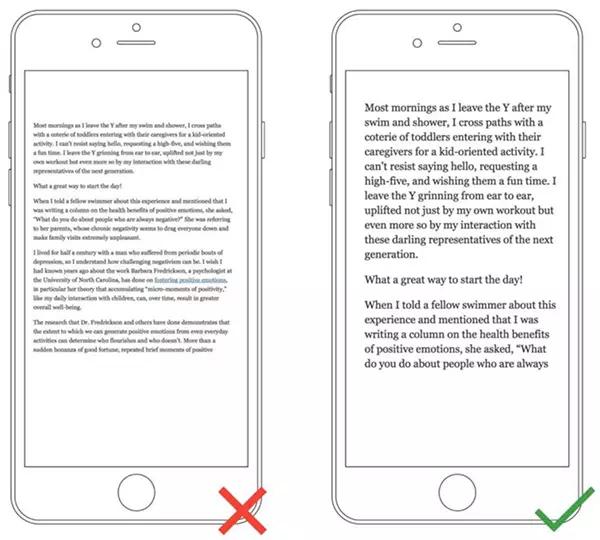
✍️ 1. Use Short Paragraphs
Nobody likes reading big blocks of text.
👉 Keep paragraphs:
- 2–4 lines max
- Easy to scan
🖼️ 2. Add Images & Visuals
Images make your content:
- More engaging
- Easier to understand
- Less boring
👉 Bonus: They also help with SEO (image search)
💬 3. Write Engaging Content
Don’t sound like a robot ❌
Instead:
- Talk like a human
- Use simple language
- Ask questions
- Add examples
👉 Make the reader feel like you’re talking directly to them
💡 Pro Tip
Hook the reader in the first few seconds.
👉 If they stay longer → rankings improve
👉 If they leave → rankings drop
🔥 Final Insight
UX is what connects content and ranking.
If you don’t have any backlinks,
People love your content.
They stay for a longer time.
They talk to each other more,
👉 which will make Google rank your page higher.
And that’s how you get closer to mastering
how to rank website on google without backlinks 🚀
🧩 Strategy #9 – Use Schema Markup
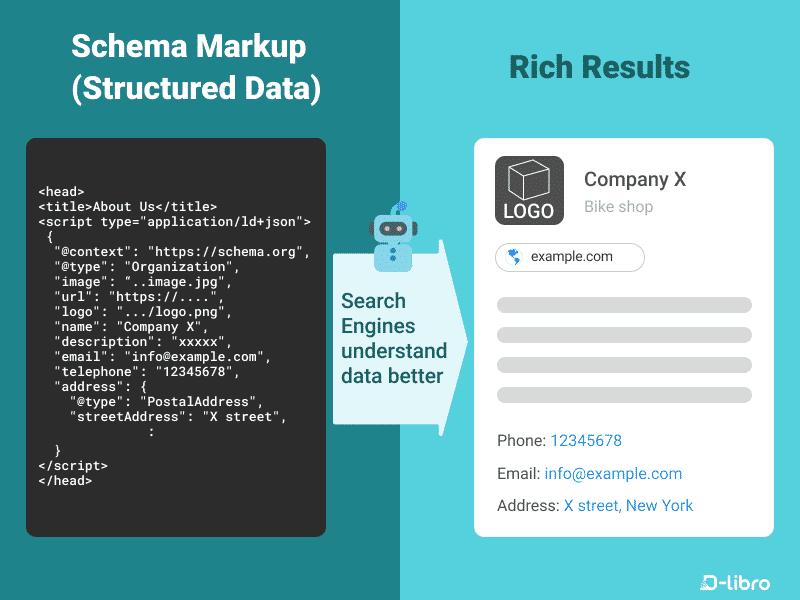
Schema Markup is a game-changer if you want to get an edge on how to rank website on google without backlinks. It doesn’t directly help with rankings…
But it makes things more visible, which gets more clicks, which in turn raises rankings.
Structured data helps Google understand your content better too.
🧠 What is Schema Markup?
Schema markup is a type of structured data that tells Google:
👉 “Hey, this content is a blog post”
👉 “These are FAQs”
👉 “This is an article”
In simple words:
It makes your content easier for search engines to understand.
🎯 Types of Schema You Should Use
📄 1. Article Schema
Perfect for blog posts.
It helps Google understand:
- Title
- Author
- Publish date
- Content type
❓ 2. FAQ Schema
This is powerful 🔥
It allows your content to appear like this in search results:
- Expandable questions
- More space on Google
- Higher visibility
👉 Result: More clicks (CTR boost)
🚀 Why Schema is Important
Without backlinks, you need every advantage.
Schema helps you:
- Stand out in search results
- Get rich snippets
- Increase click-through rate
👉 More clicks = better ranking signals
💡 Pro Tip
Use tools/plugins like:
👉 They let you add schema without coding
🚀 Why Schema is Important
Schema doesn’t take the place of backlinks. It makes up for the loss of visibility.
Adding schema to great content can help you rank faster.
And that’s another smart thing to do if you want to learn
how to rank website on google without backlinks 💯
🎯 Strategy #10 – Optimize for Featured Snippets
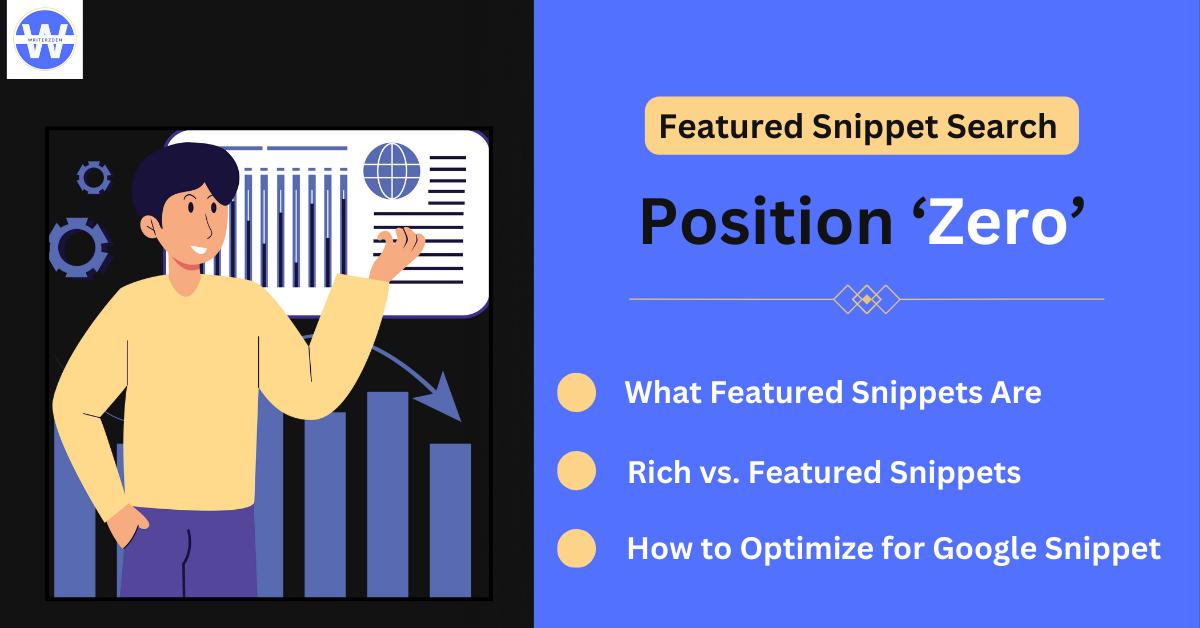
This strategy is great if you want to learn how to rank website on google without backlinks and get results quickly.
👉 Instead of fighting for Position #1…
👉 Aim for Position #0 (Featured Snippet)
A lot of the time, Google shows featured snippets above all the other search results.
🧠 What is a Featured Snippet?
It’s the box you see at the top of Google that:
- Directly answers a question
- Shows a paragraph, list, or table
- Gives instant value to users
👉 This is called Position #0
🚀 Why This Works Without Backlinks
Here’s the interesting part:
👉 Google chooses snippets based on clarity and structure, not backlinks.
So even a new website can win here 💯
✅ How to Optimize for Featured Snippets
✍️ 1. Answer Questions Clearly
Start with a direct answer.
Example:
Q: How to rank website on google without backlinks?
👉 Give a 2–3 line clear answer first
📋 2. Use Bullet Points or Numbered Lists
Google loves structured content like:
- Step 1
- Step 2
- Step 3
👉 Easy to scan = higher chance of snippet selection
📖 3. Add Simple Definitions
Use formats like:
👉 “X is…”
👉 “Y means…”
Example:
“Search intent is the reason behind a user’s query.”
💡 Pro Tip (Very Powerful)
Use question-based subheadings like:
- “What is SEO?”
- “How to rank without backlinks?”
👉 Then answer immediately below it.
🔥 Final Insight
You don’t always need backlinks to win rankings.
Sometimes, you just need to be the clearest answer.
Master this, and you’ll unlock a powerful shortcut in
how to rank website on google without backlinks 🚀
🔄 Strategy #11 – Keep Content Fresh
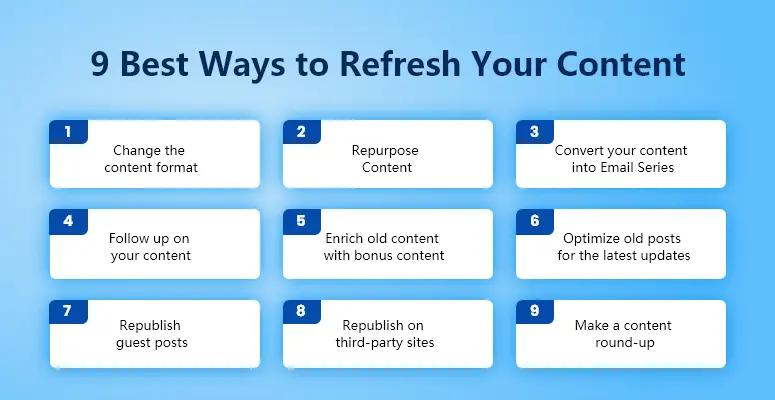
If you really want to learn how to rank a website on Google without backlinks, don’t just post content and forget about it. That’s a mistake that beginners make.
Freshness is a ranking advantage in 2026, especially for topics related to SEO.
Google even likes content that is:
- Updated
- Relevant
- Accurate
🚀 Why Content Freshness Matters
Think about it:
Would you trust:
- ❌ An article from 2019
- ✅ Or an updated 2026 guide
👉 Same logic applies to Google.
Fresh content signals:
- “This page is still relevant”
- “This information is up-to-date”
🔧 What You Should Update (Every 2–3 Months)
📊 1. Add New Stats
SEO changes fast.
👉 Update:
- Latest trends
- New data
- Industry changes
🧠 2. Add New Strategies
What worked last year may not work now.
👉 Keep improving your content with:
- New techniques
- Better insights
- Updated methods
💡 3. Update Examples
Old examples = low trust
👉 Replace with:
- Real, recent examples
- Practical use cases
🔁 Bonus: Small Updates = Big Impact
You don’t need to rewrite everything.
Even small changes like:
- Updating headings
- Adding a new section
- Improving clarity
👉 Can boost rankings again
💡 Pro Tip
After updating:
- Change the “last updated date”
- Re-submit URL in Google Search Console
👉 Helps faster re-indexing
🔥 Final Insight
Making content isn’t something you do once; it’s something you do all the time.
You win if your competitors stop updating and you don’t.
That’s how to stay ahead while learning how to rank website on google without backlinks 🚀
📊 Real-Life Example
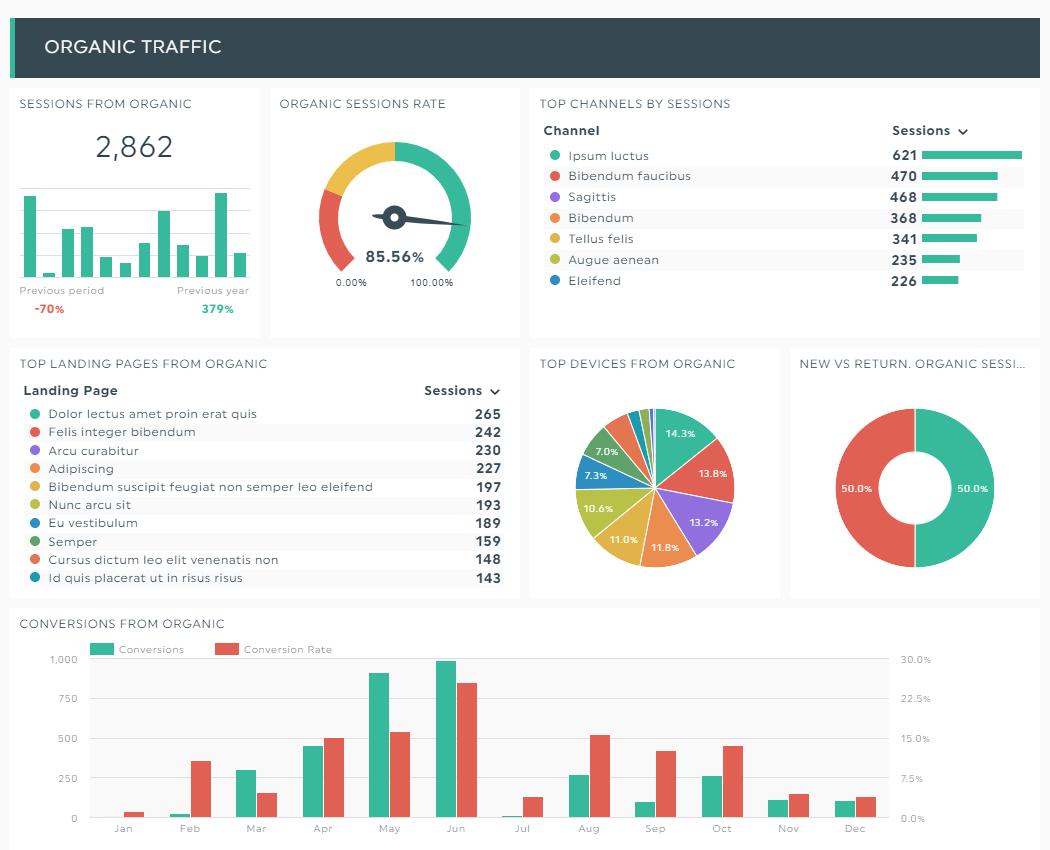
Let’s make this real so you can see how how to rank website on google without backlinks in real life.
🎯 Scenario
You choose to focus on the keyword:
👉 how to rank website on google without backlinks
You don’t have to worry about backlinks anymore; just focus on what you can control.
✅ What You Do Step-by-Step
✍️ 1. Write In-Depth Content (2000+ Words)
You create a complete guide:
- Beginner-friendly
- Easy to understand
- Covers everything (like this article 😉)
⚙️ 2. Optimize On-Page SEO
You properly place your keyword:
- Title
- Meta description
- URL
- First paragraph
👉 Plus, you structure content using headings and images.
🔗 3. Add Smart Internal Links
You connect this post with:
- Your SEO basics article
- Your on-page SEO checklist
- Your keyword research guide
👉 This builds authority without backlinks
🚀 What Happens Next?
If:
- Competition is low
- Content is high-quality
- Website is fast and mobile-friendly
👉 You can start seeing rankings within 2–4 weeks
📈 Why This Works
Because Google notices:
- Users are staying on your page
- Your content answers the query fully
- Your site structure is strong
👉 So it rewards you with higher rankings
💡 Reality Check
This won’t work if:
- Keyword is highly competitive ❌
- Content is weak ❌
- SEO basics are ignored ❌
🔥 Final Insight
You don’t need links to get going.
You need:
👉 A smart plan
👉 Sticking to it
👉 Good content
You will see results, not just theory, if you follow this plan.
And that’s when you really learn how to rank website on google without backlinks 💯
❌ Common Mistakes to Avoid
When learning how to rank website on google without backlinks, it’s just as important to avoid making mistakes as it is to follow the right steps.
Even if everything else is perfect, one small mistake can completely ruin your rankings.
Let’s take a look at the most common ones 👇
🚫 1. Ignoring Search Intent
Nothing will work if your content doesn’t match what the user wants.
Even Google puts intent above all else.
Example:
You give a sales page instead of a guide → ❌
🚫 2. Keyword Stuffing
Using your keyword over and over won’t help; it will hurt.
❌ Bad:
“how to rank website on google without backlinks” was said too many times
✅ Good:
Use it naturally and mix in keywords that are related.
🚫 3. Thin Content
Short, incomplete content = no rankings
👉 If your content:
- Doesn’t solve the problem
- Lacks depth
- Feels rushed
→ Google won’t rank it
🚫 4. Slow Website
Speed directly affects rankings.
👉 A slow site leads to:
- High bounce rate
- Poor user experience
- Lower rankings
🚫 5. No Internal Linking
If your pages are not connected:
- Google struggles to crawl
- Users can’t explore more
- Authority doesn’t flow
👉 Result: weak SEO performance
💡 Final Insight
Avoiding these mistakes gives you a huge advantage.
Because most beginners:
- Either overcomplicate SEO
- Or ignore basics
🔥 Golden Rule
👉 Do the basics right
👉 Avoid common mistakes
And you’ll naturally start winning in
how to rank website on google without backlinks 🚀
💡 Final Thoughts
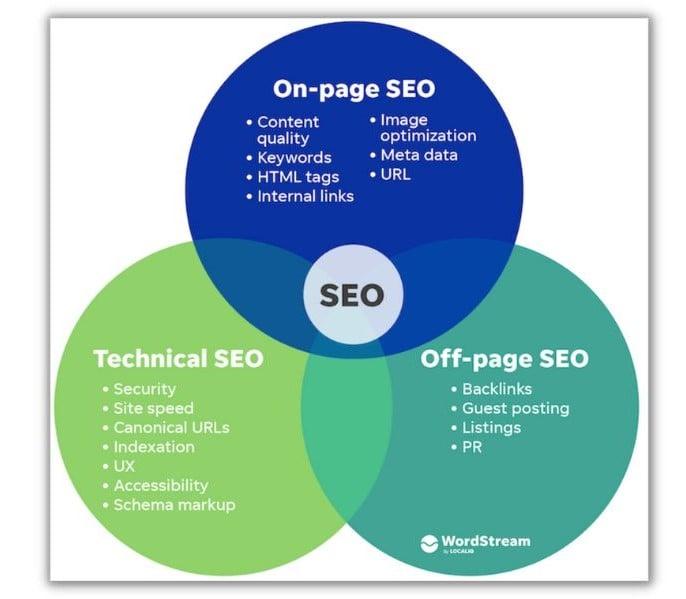
It’s not a myth that you can rank without backlinks anymore; if you do it right, it’s a real, useful strategy.
If you really know how to rank website on google without backlinks, you’ll see something important:
👉 SEO isn’t about tricks anymore
👉 It’s about value and experience.
Even Google has changed its focus to:
- Content that is useful
- A better experience for users
- Real knowledge
🧠 The Simple Formula
At the end of the day, everything comes down to this:
👉 Content + Optimization + UX = Rankings
- Content → Solves the user’s problem
- Optimization → Helps Google understand your page
- UX → Keeps users engaged
🚀 Reality Check
Yes, backlinks still help — no doubt.
But they are:
- ❌ Not the only factor
- ❌ Not mandatory for beginners
👉 Especially when targeting low to medium competition keywords
💬 Honest Advice
Don’t wait for backlinks to start your SEO journey.
Start with what you control:
- Write better content
- Optimize your pages
- Improve user experience
🔥 Final Line
👉 Backlinks can boost you…
👉 But value is what ranks you
Once you understand this, you won’t just learn
how to rank website on google without backlinks —
👉 You’ll start actually doing it 💯🚀
❓ Frequently Asked Questions (FAQs)
1. What does “how to rank website on google without backlinks” actually mean?
It means getting your website to rank higher on Google without getting links from other websites. Instead, you should focus on the quality of your content, on-page SEO, and the experience of your users.
2. Is it really possible to rank without backlinks in 2026?
Yes, absolutely. Especially for low to medium competition keywords, you can rank using:
- High-quality content
- Proper SEO optimization
- Strong internal linking
3. How long does it take to rank without backlinks?
Typically, it can take:
- 2–4 weeks for low competition keywords
- 1–3 months for medium competition
👉 It depends on your content quality and SEO execution.
4. Which factor is most important if I don’t have backlinks?
👉 Content quality is the #1 factor
If your content:
- Solves the user’s problem
- Matches search intent
- Is easy to read
You can rank even without backlinks.
5. Can a new website rank without backlinks?
Yes. A new website can rank if:
- You target low-competition keywords
- You optimize on-page SEO
- You build topical authority
6. What type of content works best?
The best content type is:
- In-depth guides (1500–3000 words)
- Step-by-step tutorials
- Problem-solving articles
👉 Example: This guide on how to rank website on google without backlinks
7. Do I need technical SEO for ranking without backlinks?
Basic technical SEO is important, such as:
- Fast loading speed
- Mobile-friendly design
- Clean website structure
You don’t need advanced coding, but basics are a must.
8. What is the role of internal linking?
Internal linking helps:
- Pass authority within your site
- Improve crawling
- Connect related content
👉 It acts like a mini backlink system inside your website
9. Can I rank competitive keywords without backlinks?
It’s difficult but not impossible.
👉 For beginners, it’s better to:
- Start with low competition keywords
- Build authority gradually
10. How often should I update my content?
Update your content every:
👉 2–3 months
Add:
- New strategies
- Updated data
- Better examples
11. Does user experience really affect rankings?
Yes, strongly.
Google tracks:
- Time on page
- Bounce rate
- Engagement
👉 Better UX = better rankings
12. What is the biggest mistake beginners make?
The biggest mistakes are:
- Ignoring search intent
- Writing thin content
- Keyword stuffing
- Not optimizing SEO
🔥 Final Tip
If you follow all strategies in this guide, you’ll not just understand
how to rank website on google without backlinks
👉 You’ll start seeing real results 🚀
❤️ Final Note
The most important thing to know if you really want to learn how to rank website on google without backlinks is that there are no real shortcuts in SEO.
A lot of people who are just starting out want to find quick ways to rank higher. But in reality, there are no shortcuts to long-term success. It takes consistency, value, and patience.
Instead of looking for quick results, pay attention to what really matters:
👉 Make something that matters
Make sure your writing is useful to others. Give them a reason to trust your website, solve their problems, and answer their questions clearly.
👉 First, help the user
Always put yourself in the user’s shoes. “Will this content really help someone?” is a good question to ask yourself. You’re on the right track if the answer is yes.
👉 Stay the same
You can’t just do SEO once. Keep putting out new content, making it better, and keeping it up to date. It takes time for things to grow, not overnight.
Over time, even sites like Google give higher rankings to sites that focus on helpful, people-first content.
💡 The Real Truth
Success in SEO doesn’t come from tricks — it comes from:
- Doing the basics right
- Being consistent
- Focusing on long-term growth
🚀 Final Line
If you follow this mindset, you won’t just understand
how to rank website on google without backlinks
👉 You’ll start seeing real, lasting results on your website 💯

Leave a reply